
Home › Epic › Day One and Week One › iPeople Offline Views
iPeople Offline Views
iPeople Offline Views is a read-only copy of patient records from Meditech, Freeman's legacy hospital system. Use it to look up a patient's Meditech history when Meditech is down. Every screen below shows a test patient: click one to enlarge it and step through the rest.
What converted into Epic, and how far back, is under What history you will see in Epic.
Look up a patient
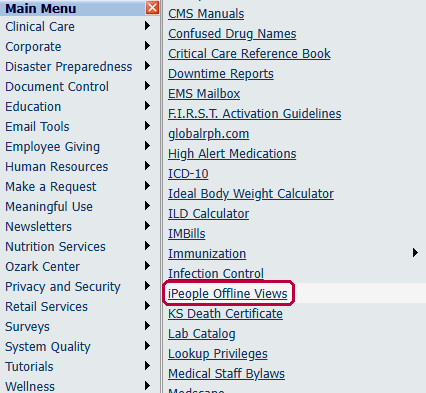
Open it from the intranet. On the Freeman intranet Main Menu, point to Clinical Care, then click iPeople Offline Views.
Log in with your Freeman username and password, the same login as a Freeman workstation.
Click OK on the welcome screen.
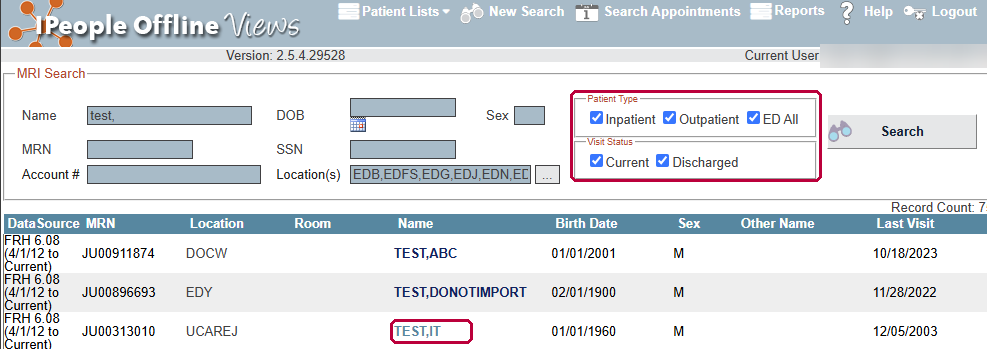
Check every Patient Type and Visit Status box before you search. The search opens with only Inpatient and Current checked, which hides outpatient, emergency department (ED), and discharged visits. Check Inpatient, Outpatient, and ED All, then Current and Discharged. Enter a name, medical record number (MRN), or other detail, and click Search.

Click your patient in the results list.
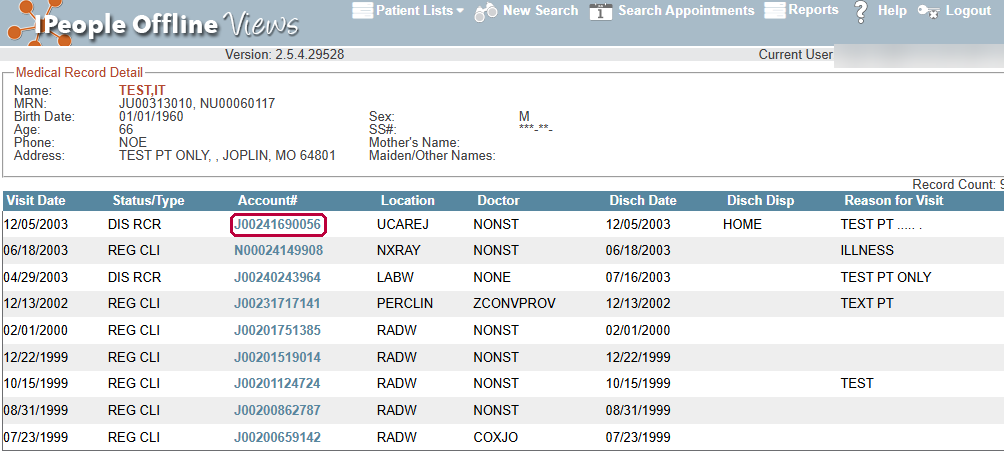
Click the visit you want. Each row is one visit; click its account number to open it.
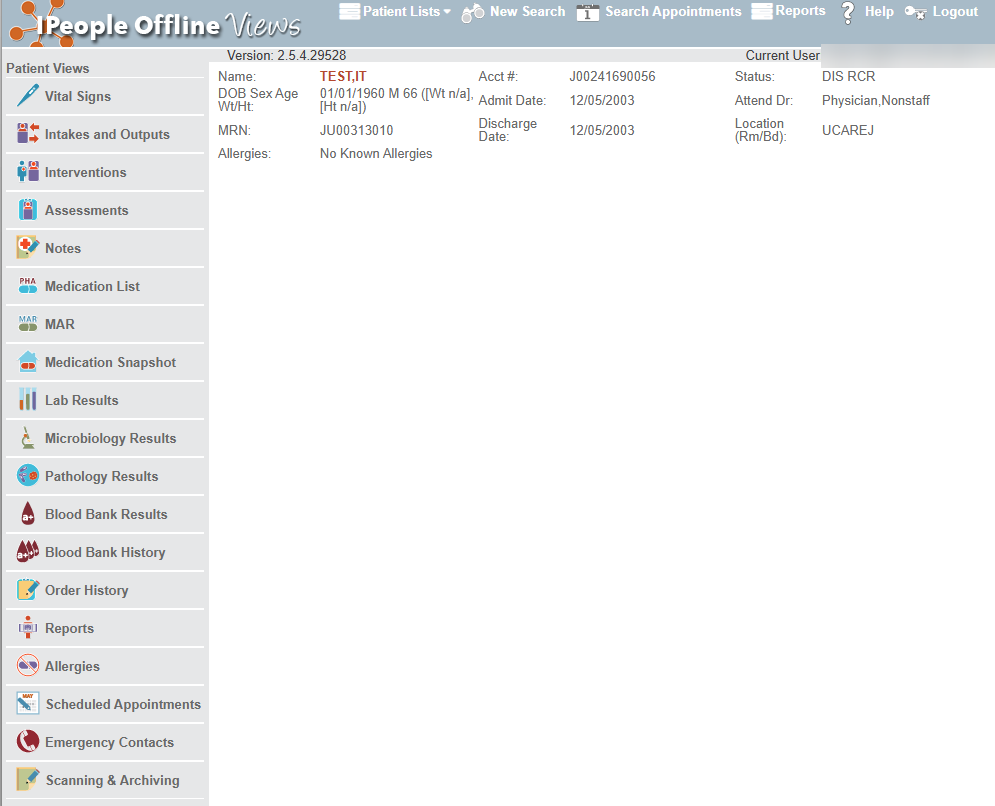
Review the visit as you would any other chart. Patient Views down the left side open vital signs, intakes and outputs, notes, the medication list and MAR, lab, microbiology, pathology, and blood bank results, order history, reports, allergies, and more.
Can't log in or find a record?
Call the IT Help Desk at 417-347-4500, or put in an IT Service Request at fhsitsm.saasit.com.